
Snap it. It’s on the calendar.
Take a photo of a school flyer or a paper calendar. Smart Add suggests the dates it finds, and you check each one before it’s added. Part of Premium.
See how Smart Add worksYOUR FAMILY, ON THE SAME PAGE
Turn the iPad you already own into your family’s shared wall calendar. Run the week from your iPhone, wherever life takes you.
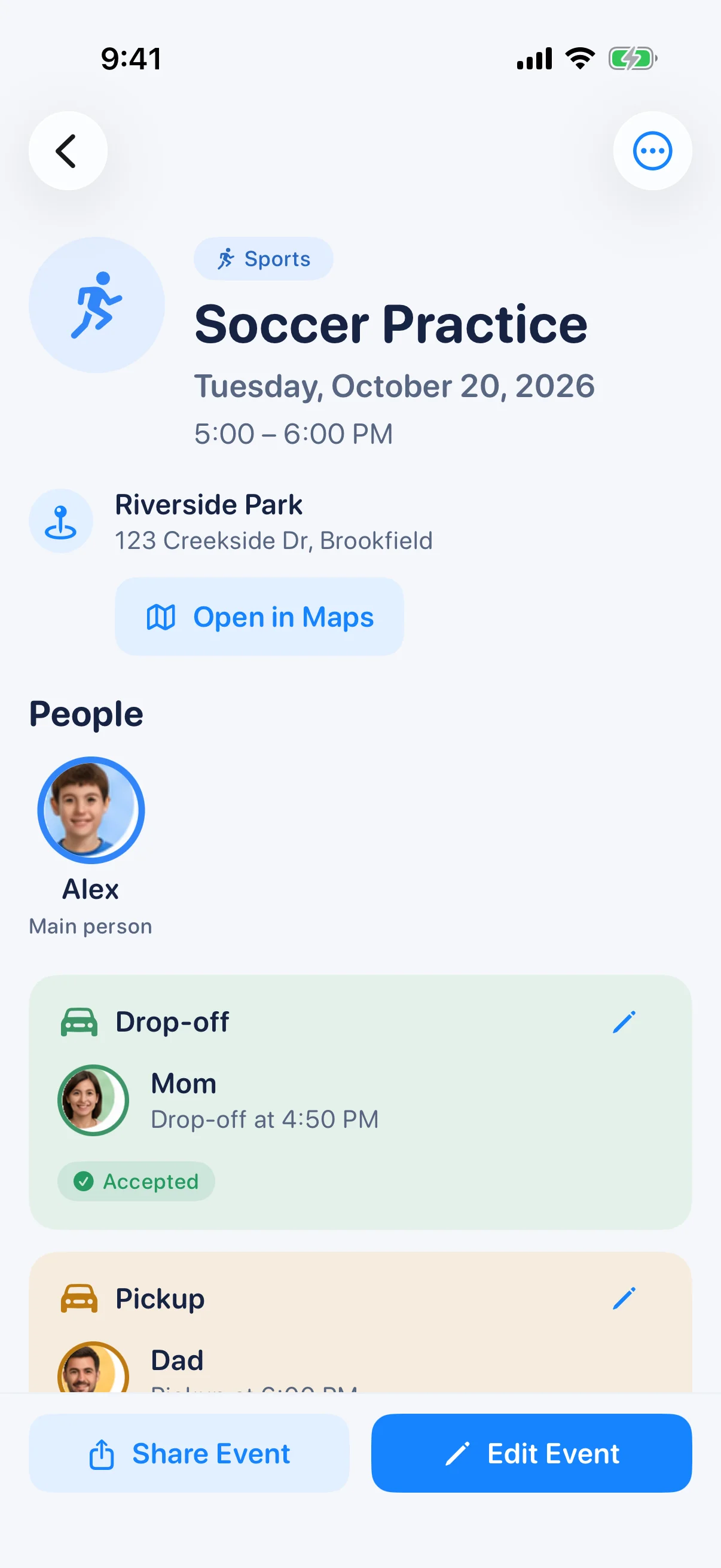
Your calendars. Finally together.
Calendar sync is part of Premium.
THE WALL CALENDAR, REIMAGINED
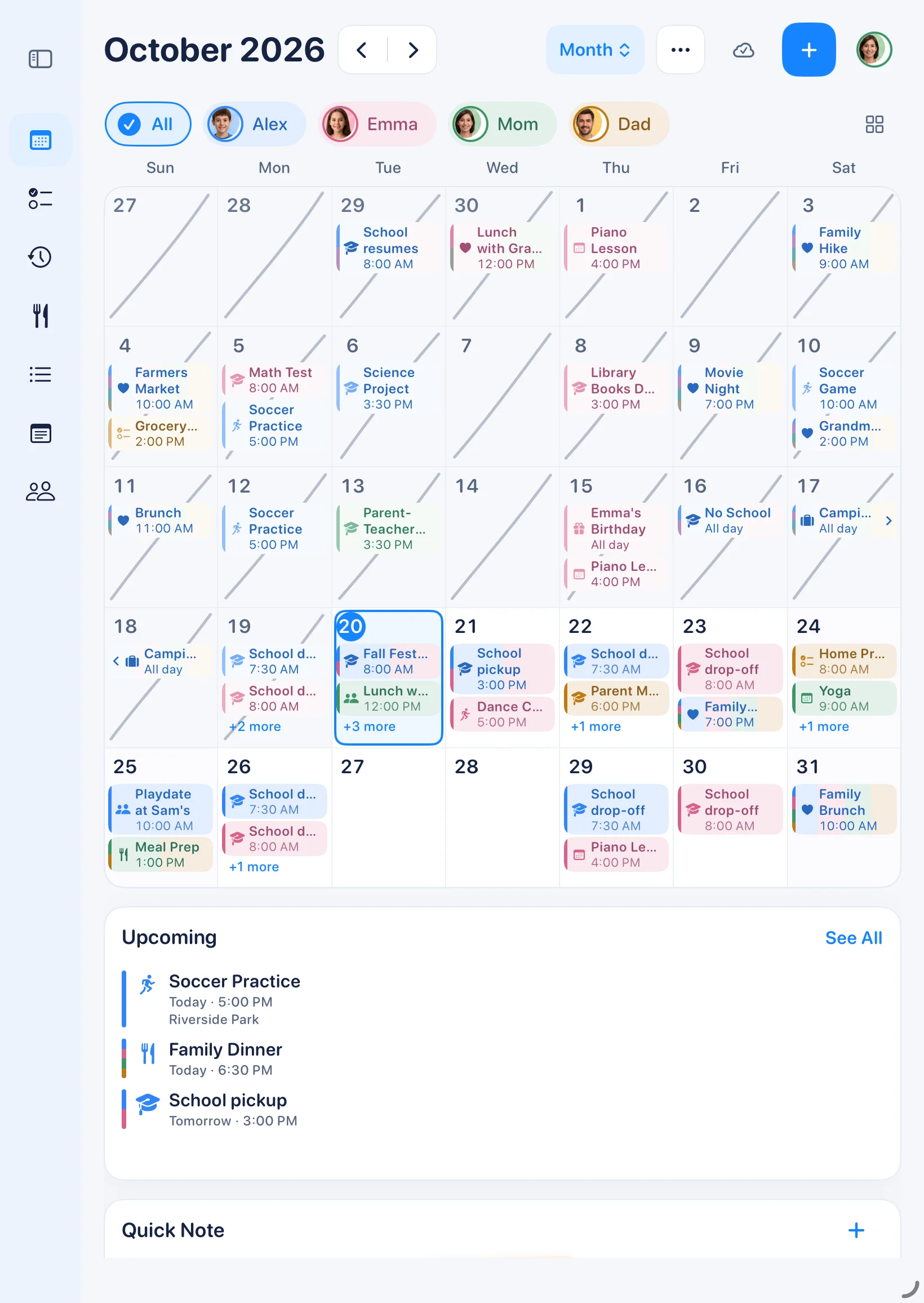
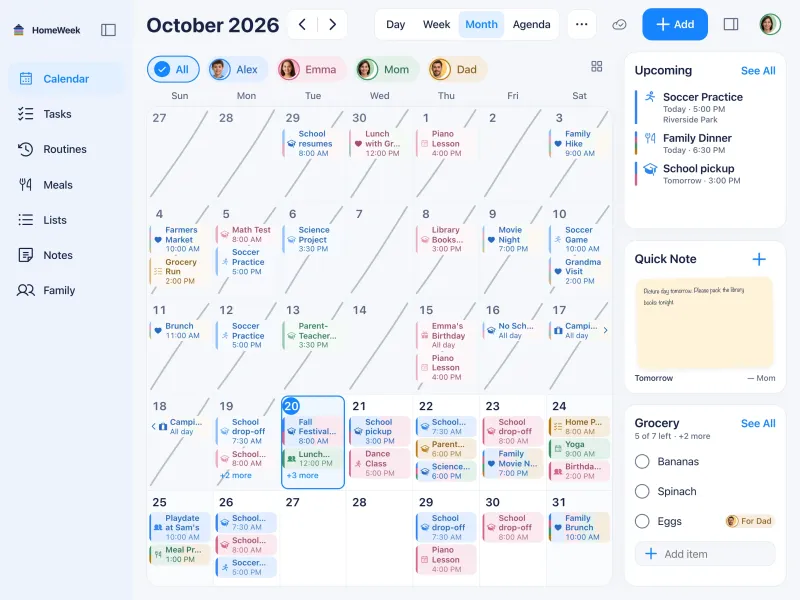
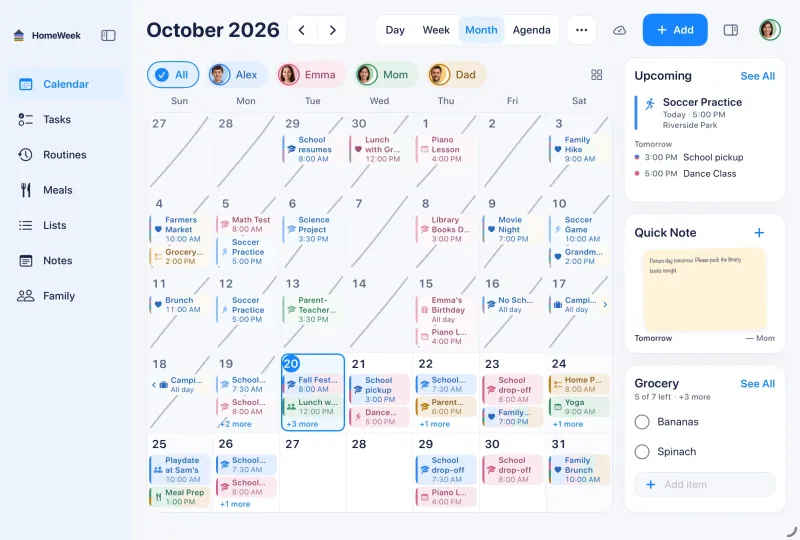
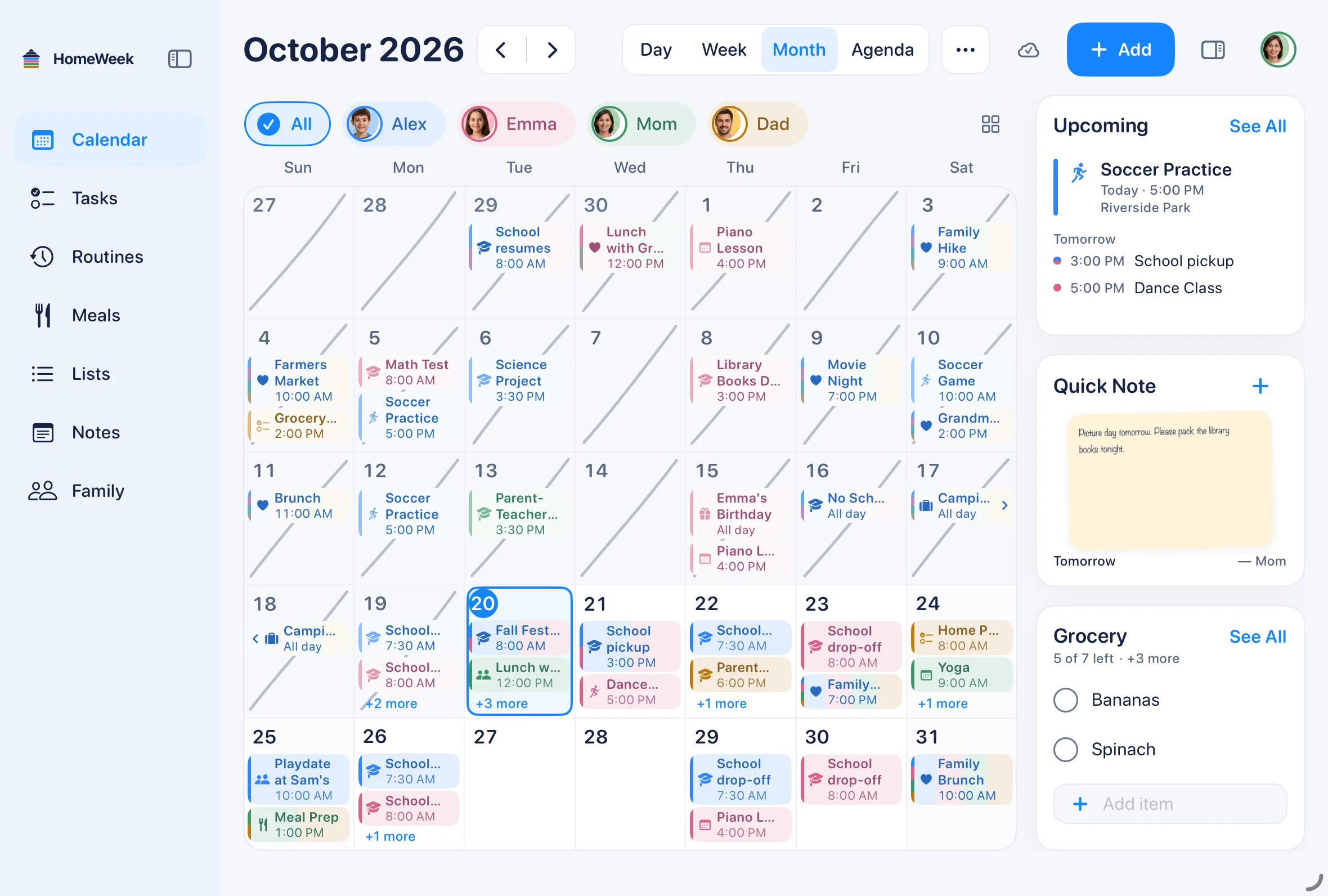
School runs, soccer practice, dinner plans. Give everyone’s week a place you can all see, with a color for each person.
Zoom out with month or week view. Focus on today with day or agenda view.
Each parent can add or update plans from their iPhone. The wall calendar updates to match.
WORKS ON THE SCREENS YOU ALREADY OWN
Put HomeWeek on the iPad on the kitchen counter, the TV in the living room or a wall display by the door. If it has a modern web browser, it can show your family’s week. No special screen to buy.
Set it up from your iPhone, then open it on any screen.
SMALL STEPS. PROUD LITTLE PEOPLE.
Chores they can own. Routines they can follow. Rewards to work toward. Help kids find their rhythm, one small win at a time.
THE LITTLE THINGS THAT MAKE A BIG DIFFERENCE
Take a photo of a school flyer or a paper calendar. Smart Add suggests the dates it finds, and you check each one before it’s added. Part of Premium.
See how Smart Add worksYour iCloud calendars show up on the family calendar, right next to everyone’s plans. Part of Premium.
Home Screen and Lock Screen widgets show what’s next, and you can tick off a chore without opening the app.
See the widgetsDRESSED UP FOR EVERY CELEBRATION
Pumpkins in October. Snow in December. Hearts in February. HomeWeek decorates the family calendar for 16 holidays and celebrations, then tidies them away when the day has passed. Each one has a light and a dark look and its own gentle animation, and you choose when it starts. Holiday themes are part of Premium.
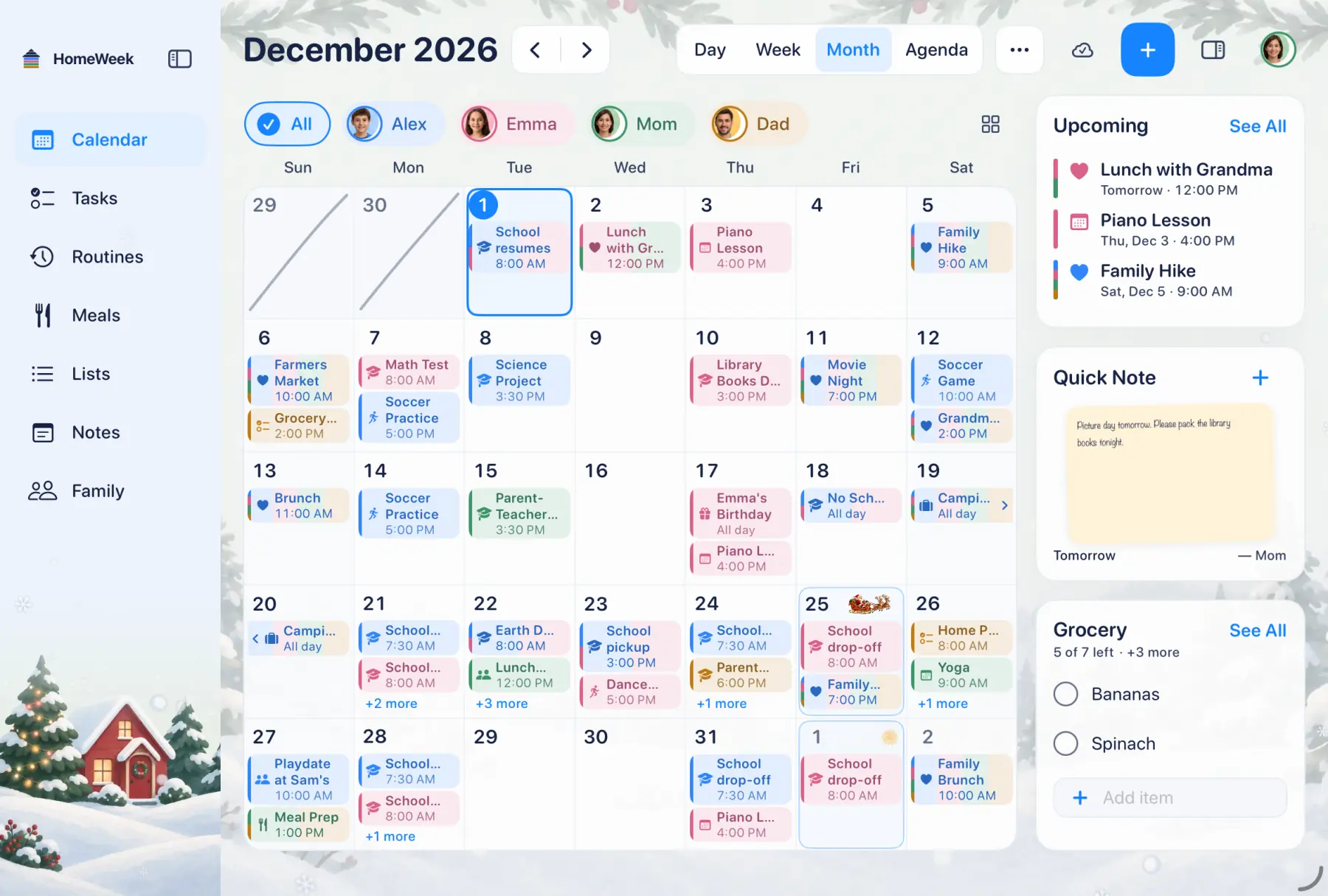
Lunar New Year, Diwali, Hanukkah and Kwanzaa are off until you turn them on.
MEET SMART ADD
That paper calendar. The flyer that came home on Friday. Take a photo and let Smart Add suggest the events it finds.
A school flyer or a paper calendar.
You check every event before it’s added.
All those dates, in one tidy place.
AI is optional. You can turn it off in Settings.
Our Privacy Policy explains how AI reading uses photos.
ALL THE LITTLE THINGS, TOO
Because running a home is about more than dates.
Shared groceries, meal plans and notes keep the everyday things together.
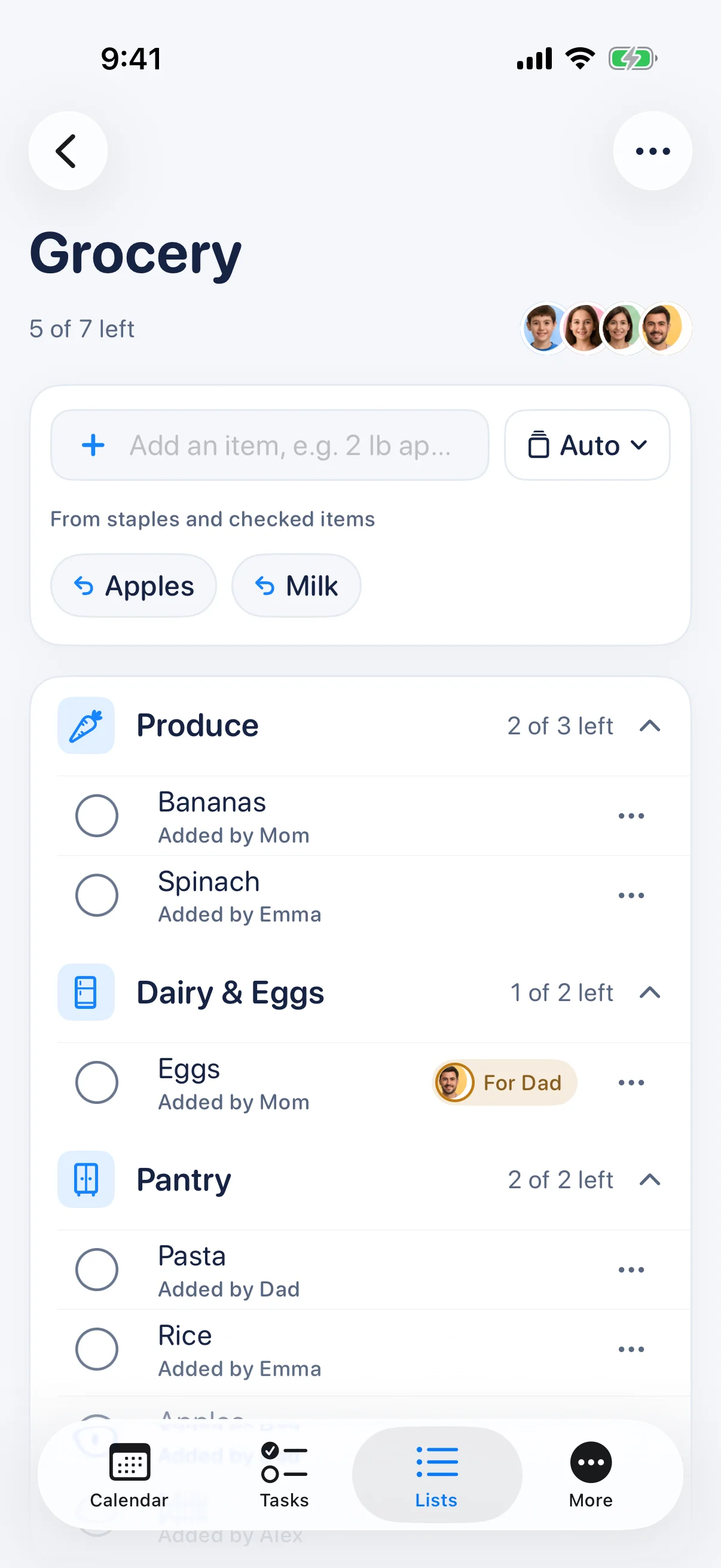
Home Screen and Lock Screen widgets keep the day close at hand.
Plan the week’s meals from your saved recipes, choose who’s cooking, and keep the grocery list right beside it. Meals are part of Premium.
Add a personal note with Apple Pencil or your finger. Past days cross themselves out, so today stays easy to find. Calendar notes are part of Premium.
ALREADY AT HOME IN YOUR HOME
Your iPad is a perfect place to start. HomeWeek also runs in a web browser on a tablet, TV or monitor, with the same family calendar.
Let family photos fill the screen between plans. The photo frame is part of Premium.
A FAMILY SPACE SHOULD STAY THAT WAY
HOW HOMEWEEK COMPARES
See how HomeWeek lines up with other popular family apps.
Swipe to see more apps
| Feature | HomeWeek | Nori | FamilyWall | Solid Starts | Huckleberry | Cubbily | Ohai | Cozyla | Everblog | Skylight |
|---|---|---|---|---|---|---|---|---|---|---|
| Your family calendar on a TV or wall screen you already own | Yes | Not found on its own pages | Not found on its own pages | Not found on its own pages | Not found on its own pages | Not found on its own pages | Not found on its own pages | Not found on its own pages | Not found on its own pages | Not found on its own pages |
| Opens in a web browser | Yes | Yes | Yes | Not found on its own pages | Not found on its own pages | Not found on its own pages | Not found on its own pages | Not found on its own pages | Not found on its own pages | Yes |
| iPhone Lock Screen widgets | Yes | Not found on its own pages | Not found on its own pages | Not found on its own pages | Not found on its own pages | Not found on its own pages | Not found on its own pages | Not found on its own pages | Not found on its own pages | Not found on its own pages |
| iPhone Home Screen widgets | Yes | Yes | Yes | Not found on its own pages | Yes | Yes | Not found on its own pages | Not found on its own pages | Not found on its own pages | Yes |
| Holiday themes that decorate the calendar | Yes | Not found on its own pages | Not found on its own pages | Not found on its own pages | Not found on its own pages | Not found on its own pages | Not found on its own pages | Not found on its own pages | Not found on its own pages | Not found on its own pages |
| Snap a flyer and AI finds the events | Yes | Yes | Not found on its own pages | Not found on its own pages | Not found on its own pages | Not found on its own pages | Yes | Yes | Yes | Yes |
| Shows your iPhone and iCloud calendars | Yes | Yes | Yes | Not found on its own pages | Not found on its own pages | Yes | Yes | Yes | Yes | Yes |
| Chores for kids | Yes | Yes | Yes | Not found on its own pages | Not found on its own pages | Yes | Not found on its own pages | Yes | Yes | Yes |
| Rewards for chores | Yes | Yes | Not found on its own pages | Not found on its own pages | Not found on its own pages | Not found on its own pages | Not found on its own pages | Yes | Not found on its own pages | Yes |
| Meal planning | Yes | Yes | Yes | Yes | Not found on its own pages | Yes | Yes | Yes | Yes | Yes |
| Shared grocery lists | Yes | Yes | Yes | Not found on its own pages | Not found on its own pages | Yes | Yes | Yes | Not found on its own pages | Yes |
| Family photo frame on the shared screen | Yes | Yes | Not found on its own pages | Not found on its own pages | Not found on its own pages | Not found on its own pages | Not found on its own pages | Yes | Yes | Yes |
| One plan covers the whole family | Yes | Yes | Yes | Not found on its own pages | Not found on its own pages | Yes | Not found on its own pages | Not found on its own pages | Not found on its own pages | Not found on its own pages |
Based on each app’s own published features, November 2026.
ONE HOME. EVERYONE INCLUDED.
Start free. Make more room with Premium.
One purchase covers your whole household.
HomeWeek Free
A shared place to start bringing the week together.
HomeWeek Premium
THE WHOLE HOUSEHOLDNo. HomeWeek turns the iPad you already own into a shared wall calendar. You can also open the same calendar in a web browser on a tablet, TV or monitor.
Yes. Each parent’s iPhone works as a remote for the family calendar. Add or change a plan on your phone and it shows on the wall too.
The calendar, chores with parent approval, one display screen, reminders and widgets for those features are free. Premium includes the other features for $5.99 a month or $49.99 a year for the whole household.
No. One HomeWeek Premium purchase covers the whole household. The yearly plan offers a 14-day free trial to eligible new subscribers; unless you cancel at least 24 hours before the trial ends, it then renews at $49.99 a year until you cancel. The monthly plan has no trial.
No. Kids don’t need their own accounts or email.
No. Smart Add is optional and can be switched off. When you do use it, you check every event before adding it.
HERE’S TO A LITTLE MORE TOGETHER
Start with the iPad you have.
Make it a place for everyone.
HomeWeek: Family Organizer